
Adding a local database to a Node.js application starts with choosing how the code will access SQLite. better-sqlite3 is a Node.js package that connects your code to an SQLite database and returns each database call’s result or error before the call returns.
In this piece, I’ll show how to install better-sqlite3 and use prepared statements for database queries.
TL;DR
better-sqlite3 gives Node.js a synchronous way to query SQLite files, with a transaction helper for grouped writes.
- Install it with npm install better-sqlite3.
- Use .prepare() and bound values for queries.
- Keep transaction callbacks synchronous and short.
What is better-sqlite3?
better-sqlite3 connects Node.js code to an SQLite database file. It runs each database call synchronously, so the result or error is available as soon as the call returns. The package uses a native binding, which bridges JavaScript to SQLite’s C library.
Synchronous means the call finishes before Node.js moves to the next line. That keeps a query straightforward to read, but a long query also occupies the JavaScript thread until SQLite returns. The project’s README points to worker threads for large or slow queries.
Pick a SQLite interface based on your Node.js version and the API style the application expects.
| Option | Where it comes from | API style | When it fits |
|---|---|---|---|
| better-sqlite3 | npm package | Synchronous, with a transaction helper | You want its prepared-statement and transaction API. |
| node:sqlite | Built into supported Node.js versions | Synchronous, with SQL transaction statements | Your runtime includes the module and you prefer no dependency. |
| sqlite3 | npm package | Callback-based | Your existing code already uses its callback API. |
I use better-sqlite3 in the examples because its transaction wrapper makes the commit and rollback boundary visible. Our Node.js SQLite comparison covers how the package choices differ.
| API | Use | Result |
|---|---|---|
| db.prepare(sql) | Compile one SQL statement | A reusable Statement |
| stmt.run(values) | Insert, update or delete | Change count and row ID |
| stmt.get(values) | Read one matching row | One object, or undefined |
| stmt.all(values) | Read matching rows | An array of objects |
I keep SQL in prepared statements and pass changing values separately. That makes the query structure clear and avoids building SQL by concatenating user input.
A prepared statement represents one SQL statement. If your task needs several writes, prepare each statement separately and call them inside one transaction. The package maintainer gives this same distinction in a response to a question about preparing multiple statements as one object.
Use .get() when the query should return one row and .all() when the result set is small enough to load at once. For a large result, the Statement API also provides .iterate(), which yields rows one at a time instead of building an array.
How to use better-sqlite3 in a Node.js project
The steps below install the package and exercise one in-memory database, which keeps the run independent of files left from earlier.
Step 1: Install the package
From the project directory, run npm install better-sqlite3 because the package needs a native binding for your Node.js runtime and platform.
npm install better-sqlite3
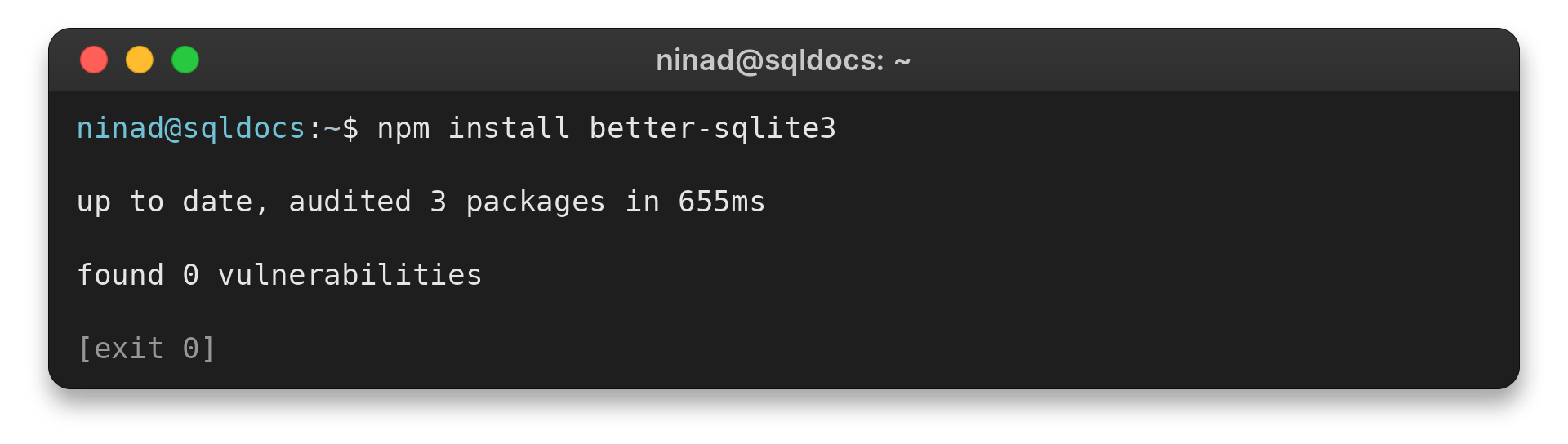
The current package documentation recommends a currently supported Node.js release. If installation fails with “Could not locate the bindings file,” use the SQLite package installation guide for the wider setup path.
Step 2: Prepare queries and read results
Open a connection with new Database(). Prepare a statement once, then bind each row’s values when you call .run(). The example below also reads one row with .get() and a list with .all().
import Database from 'better-sqlite3';

const db = new Database(':memory:');
db.exec('CREATE TABLE users (id INTEGER PRIMARY KEY, name TEXT NOT NULL UNIQUE, email TEXT)');
const insert = db.prepare('INSERT INTO users (name, email) VALUES (@name, @email)');
const insertMany = db.transaction((users) => {
  for (const user of users) insert.run(user);
});
insertMany([
  { name: 'Ada', email: 'ada@example.com' },
  { name: 'Linus', email: null }
]);
console.log('row:', db.prepare('SELECT id, name, email FROM users WHERE name = ?').get('Ada'));
console.log('all:', db.prepare('SELECT name FROM users ORDER BY id').all());
try {
  insertMany([
    { name: 'Grace', email: 'grace@example.com' },
    { name: 'Ada', email: 'duplicate@example.com' }
  ]);
} catch (error) {
  console.log('rollback:', error.code);
}
console.log('after rollback:', db.prepare('SELECT name FROM users ORDER BY id').all());
console.log('journal mode:', db.pragma('journal_mode', { simple: true }));
db.close();
The demo prints Ada’s row and then lists both users. A duplicate name triggers a constraint error, and the transaction removes the earlier Grace insert from the failed batch.
row: { id: 1, name: 'Ada', email: 'ada@example.com' }
all: [ { name: 'Ada' }, { name: 'Linus' } ]
rollback: SQLITE_CONSTRAINT_UNIQUE
after rollback: [ { name: 'Ada' }, { name: 'Linus' } ]
journal mode: memory
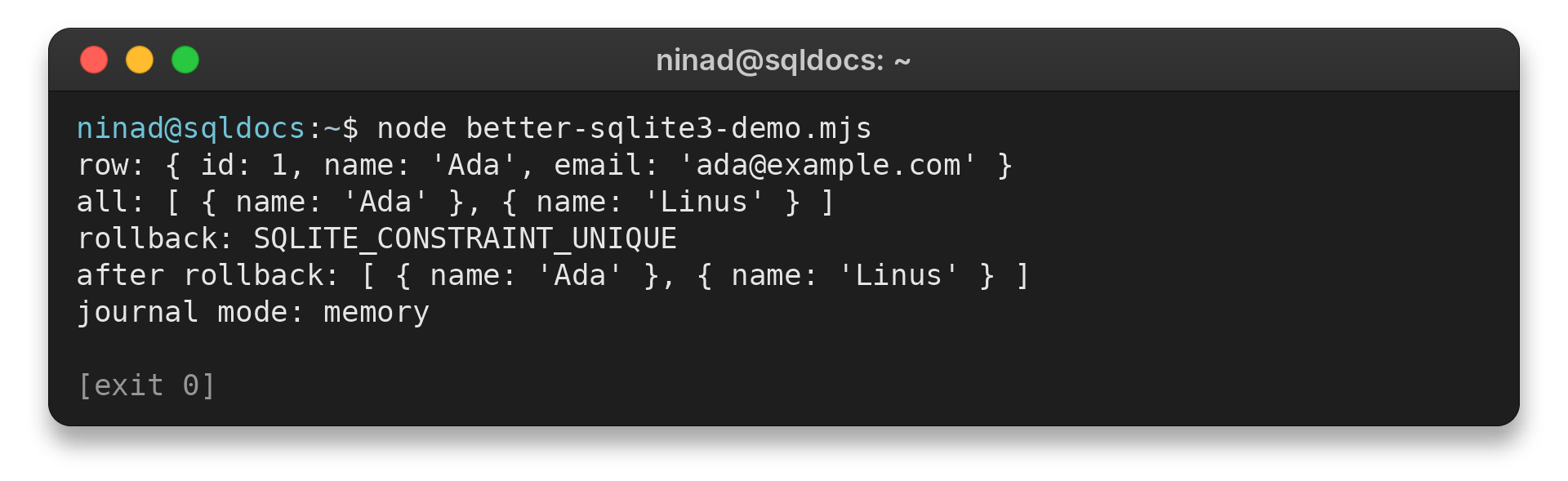
The database uses :memory:, so SQLite reports memory as its journal mode. For a file-backed database, check the mode after setting it with db.pragma(‘journal_mode = WAL’).
The insert statement uses named parameters, so the object keys match the SQL names. Positional question marks work too, as in the SELECT call. In both forms, SQLite receives the values separately from the SQL text.
The insertMany function prepares no new SQL on each loop iteration. It reuses the same statement for every user, then the transaction wrapper commits after the loop finishes. When the duplicate Ada row throws, the earlier Grace insert in that batch is rolled back as well.
The in-memory database keeps each run independent, while a file path such as app.db preserves data after the connection closes.
The WAL check opens a file-backed database and reads back SQLite’s journal mode.
Step 3: Check the journal mode on a file database
import Database from 'better-sqlite3';

const db = new Database('wal-check.db');
console.log(db.pragma('journal_mode = WAL', { simple: true }));
db.close();
wal
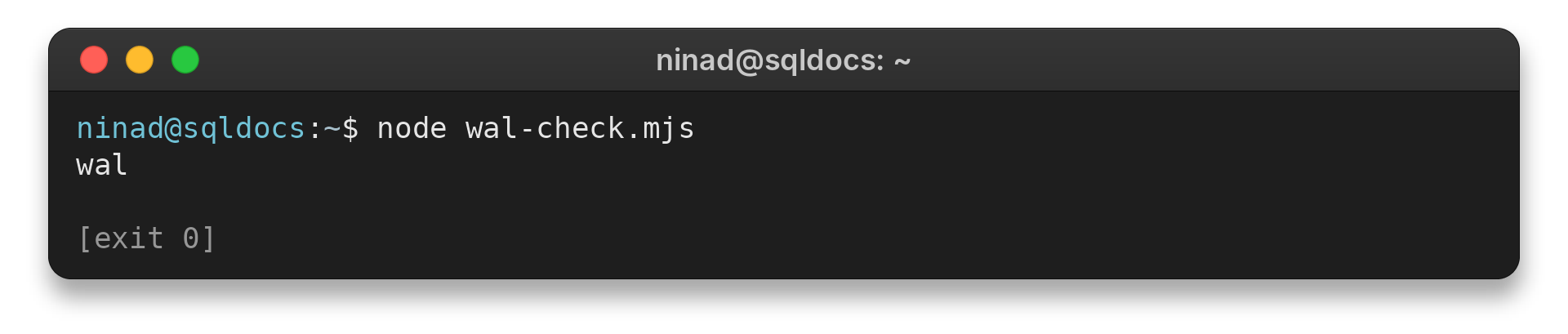
SQLite returns the active mode as wal. WAL lets readers continue while a write is committed, but SQLite still permits only one writer at a time.
Transactions, WAL and synchronous query limits
A transaction groups related writes into one commit. better-sqlite3 commits when the callback returns and rolls back if it throws, so I keep this callback synchronous and limited to database work.
| Situation | What to check | Response |
|---|---|---|
| Several statements must succeed together | Does the transaction callback throw on failure? | Let the error escape so the wrapper rolls back. |
| A query takes noticeable time | Does it block other JavaScript on the same thread? | Move large or slow queries to a worker thread. |
| You enable WAL mode | Does db.pragma(‘journal_mode = WAL’, { simple: true }) return wal? | Keep the database and its WAL files together. SQLite allows one writer at a time. |
Do not make the transaction callback async. It returns a promise at the first await, which lets the wrapper commit before later asynchronous work finishes. SQLite’s WAL mode lets readers and a writer overlap, but it does not allow multiple simultaneous writers.
For modest synchronous queries, I keep the connection on the main thread. If a query is large or slow enough to delay request handling, the project documentation recommends worker threads rather than expecting the synchronous call to yield.
WAL changes how SQLite records committed writes. New pages are appended to a separate log, then a checkpoint copies them back into the database file.
SQLite checkpoints automatically, but a long-running read can hold its snapshot and delay that work. Keep the database, its WAL file and its shared-memory file together while connections are open.
Transactions also have an execution boundary: do not await network calls or other asynchronous work inside one. The wrapper commits as soon as its callback returns, and the library’s API documentation says transaction functions do not work with async functions. Do the external work before opening the transaction, then keep the database changes together in a short synchronous callback.
If the transaction fails, let the error escape unless you first check the connection state. SQLite can force a rollback for errors such as SQLITE_BUSY or SQLITE_FULL. The API docs warn that catching an error inside the callback does not guarantee later statements still belong to the same transaction.
Before upgrading better-sqlite3 to a new major version, review its release notes and the package’s upgrade guidance. The project warns that an upgrade can change the JavaScript API or the SQLite version used to open existing database files.
Conclusion: keep each database operation explicit
Use prepared statements to bind values. Group related writes in a transaction and keep synchronous work short. The Node.js SQLite guide compares the built-in module with better-sqlite3, and the Next.js SQLite tutorial shows the package in an application.
FAQ
These answers cover two common decisions when adding the package to a Node.js project.
How do I add TypeScript types for better-sqlite3?
Install the @types/better-sqlite3 package in your project to add the TypeScript declarations. Check that package’s current version and instructions before adding it.
Can a better-sqlite3 transaction callback use async and await?
No. The transaction wrapper commits when the callback returns, and an async callback returns a promise before awaited work completes. Keep the callback synchronous.
Does WAL allow multiple writes at the same time?
No. WAL allows readers and a writer to overlap, but SQLite still has one writer at a time.