
An application that uses SQLite may need extra SQL functions or a specialized table to do its job. SQLite extensions add those capabilities through modules built into SQLite or loaded from shared libraries.
This article compares those two ways to add a module and shows how to check FTS5 and load a shared library from Python.
TL;DR
A SQLite extension adds a capability to a database connection, such as a SQL function or a virtual-table module. Some modules are compiled into the SQLite library. Others are shared libraries that an application loads at runtime, which determines whether the client needs a library file and a loader.
- FTS5 provides full-text search, while R*Tree indexes ranges and spatial bounds.
- Sqlean bundles extra SQL functions. sqlite-vec adds vector-search tables.
- Only load a trusted shared library, and turn loading back off after use.
What is a SQLite extension?
SQLite extensions are modules that add SQL functions, collations, virtual tables or other interfaces to SQLite. FTS5 is one example of a virtual-table module. Virtual tables are table-like interfaces backed by a module, so FTS5 can search text and R*Tree can index coordinate ranges.
| Module type | Where it comes from | What the client must do |
|---|---|---|
| Built-in or statically linked | Included when SQLite is compiled or linked into the application | Use it if that connection exposes the module |
| Loadable extension | Separate shared library such as .so, .dylib or .dll | Allow loading and provide a compatible library path |
The word also appears in editor add-ons and database filenames. This page means SQLite runtime or build-time modules, not an IDE plug-in or a .db suffix.
SQLite can include a module in its build or load it from a shared library. The module list therefore depends on the SQLite build and the client library that the application uses.
Check the actual database connection rather than assuming every installation has the same modules. A command-line shell and a Python application can use different SQLite libraries. A feature found in one may be missing in the other.
Which SQLite extensions are useful?
Choose an extension by the operation your application needs. This compact map covers common starting points, not every available module.
| Extension or module | Use | Availability note |
|---|---|---|
| FTS5 | Full-text search over text columns | May be built in or omitted |
| R*Tree | Range, time or spatial indexing | Build option can control availability |
| Sqlean | Packaged functions such as regex, math and text utilities | Load the matching library for your platform |
| SpatiaLite | Geospatial SQL and spatial data | Install and load its compatible library |
| sqlite-vec | Vector storage and nearest-neighbor queries | Project labels it pre-v1 and warns of breaking changes |
| cr-sqlite | Conflict-free replicated data types for sync designs | Use its project-specific integration |
I start with a built-in module when it meets the need because that avoids distributing another binary. FTS5 is the focused choice for text search, while sqlite-vec is a separate project for vector search.
See the FTS5 tutorial and sqlite-vec guide for those tasks. SQLite’s extension documentation describes the runtime loader and its built-in examples.
How to load a SQLite extension
First check whether the module is already available. FTS5 is often compiled into SQLite, so this Python test uses its virtual table without loading an external file. The exact program below ran in this environment and returned a matching row.
Check the FTS5 module from Python
Create an in-memory database, insert one document and search its body. Use bound parameters for values even in a small check.
import sqlite3

con = sqlite3.connect(":memory:")
try:
    con.execute("CREATE VIRTUAL TABLE notes USING fts5(title, body)")
    con.execute("INSERT INTO notes VALUES (?, ?)", ("SQLite search", "Extensions add capabilities"))
    rows = con.execute("SELECT title FROM notes WHERE notes MATCH ?", ("capabilities",)).fetchall()
    print(rows)
finally:
    con.close()
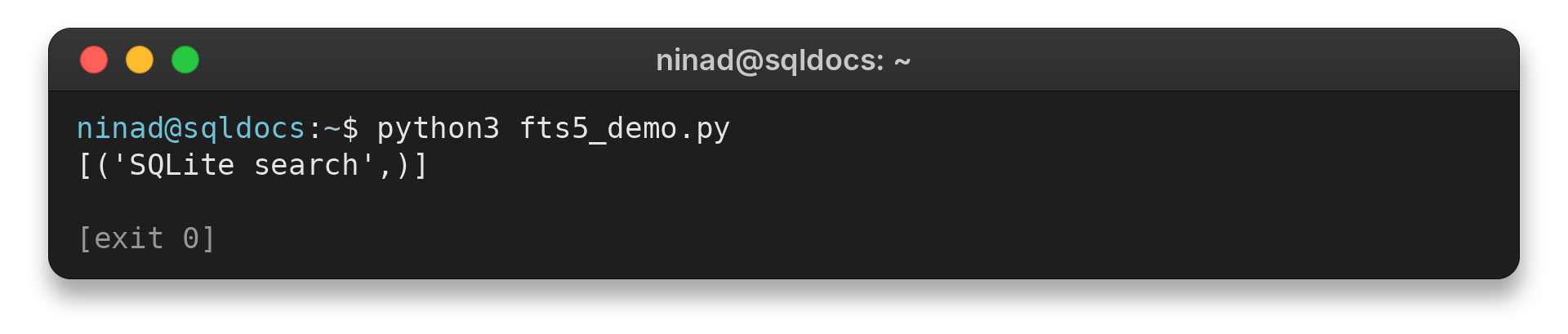
The run is visible below. It returned one matching row, so the virtual table was available in this Python connection.
Load a shared library in Python
Get a loadable module from the project’s official release and match it to the operating system, CPU architecture and SQLite compatibility. Python’s Connection.load_extension method loads a library after Connection.enable_load_extension(True) enables loading. Use the client API rather than relying on shell state because each application connection has its own loader setting.
Disable loading again with Connection.enable_load_extension(False), including when the load raises an error. SQLite’s C API has separate SQL and C loading interfaces.
Its security guidance recommends enabling only the C interface where the host offers that control. Python’s enable_load_extension method is broader, so keep untrusted SQL away from a connection while loading is enabled.
Why does load_extension fail?
A loader error usually points to a missing capability, incompatible library or blocked loading policy. The client application controls these settings, so check its documentation before changing the database library.
| Symptom | What to check |
|---|---|
| “not authorized” or not enabled | Whether the host application permits extension loading |
| “not a directory” or library not found | Absolute path and the .so, .dylib or .dll filename |
| undefined symbol or load error | Architecture, SQLite build and extension ABI compatibility |
| “no such module” on CREATE VIRTUAL TABLE | Whether it is compiled in or loaded on this connection |
Do not enable loading merely to silence an error in a server that accepts untrusted SQL. SQLite warns that SQL-level loading can turn an SQL injection into code loading. Prefer a vetted binary, a host API that enables only the loading interface and a narrow connection scope.
For the command-line shell, .load accepts a library path, for example .load ./sqlean. The project documents that command and provides platform-specific binaries. A command-line shell’s ability to load a module does not mean an application connection has the same setting.
Conclusion: Choose an extension by the capability you need
SQLite extensions range from built-in virtual-table modules to separately loaded libraries. Pick the module for the job, confirm it is available in your client, and keep dynamic loading disabled except for the brief trusted load step. Continue with the site’s SQLite handbook for core SQL, or use the focused FTS5 and sqlite-vec guides for their deeper examples.
FAQ
These answers cover common questions about the module and the loader.
What is a SQLite extension?
A SQLite extension adds SQL functions, collations, virtual tables or other capabilities to a SQLite connection, either through the build or a loadable library.
Why is load_extension disabled?
Loading executable shared libraries is a security risk, so applications commonly disable it unless their code explicitly permits a trusted extension.
Does SQLite include FTS5?
Some SQLite builds include FTS5 and others do not. Test the module in the actual client connection or check that build’s documentation.