
A terminal session can stay inside sqlite3 after a database command finishes, waiting for more input. The sqlite3 shell is a command-line program that lets you work with a SQLite database.
I’ll show how to return to the terminal and how to handle the continuation prompt when SQL is unfinished.
TL;DR: Exit sqlite3 with .quit
At the normal sqlite3 prompt, type .quit or .exit and press Enter to return to your operating-system shell.
- At a continuation prompt, finish the incomplete SQL statement before entering a dot-command.
- Ctrl+D usually sends end-of-file and exits the shell.
- Ctrl+C interrupts a running SQL statement. It is not the usual way to exit normally.
What is the sqlite3 shell?
The sqlite3 shell is a command-line program, separate from the SQLite library that applications use. Its dot-commands, such as .quit, are instructions to the shell. SQL statements, such as SELECT, go to the database engine.
The usual prompt looks like sqlite>. When a database file is opened, exiting the shell ends that session. It does not delete the database file.
The shell stays open after a SQL statement finishes and waits for another command. For other commands in the shell, see the SQLite commands guide.
The shell handles each dot-command as a complete line, while SQL can span several lines until SQLite recognizes its end. That is why .quit works at sqlite> but not while the continuation prompt is active. Check the prompt before typing another command rather than adding exit text to unfinished SQL.
Closing the shell ends the current interactive session, not a database file on disk. A file-backed database remains available the next time sqlite3 opens that path. A database created only in memory disappears when the shell exits, as the SQLite CLI documentation explains.
How to exit the sqlite3 prompt
Use a dot-command when the regular sqlite> prompt is waiting for input. At that prompt, .quit ends the shell and returns you to the operating-system terminal. It is explicit and works without relying on a terminal’s keyboard mapping.
Step 1: Enter .quit
Type the command on its own line, then press Enter:
sqlite> .quit
$
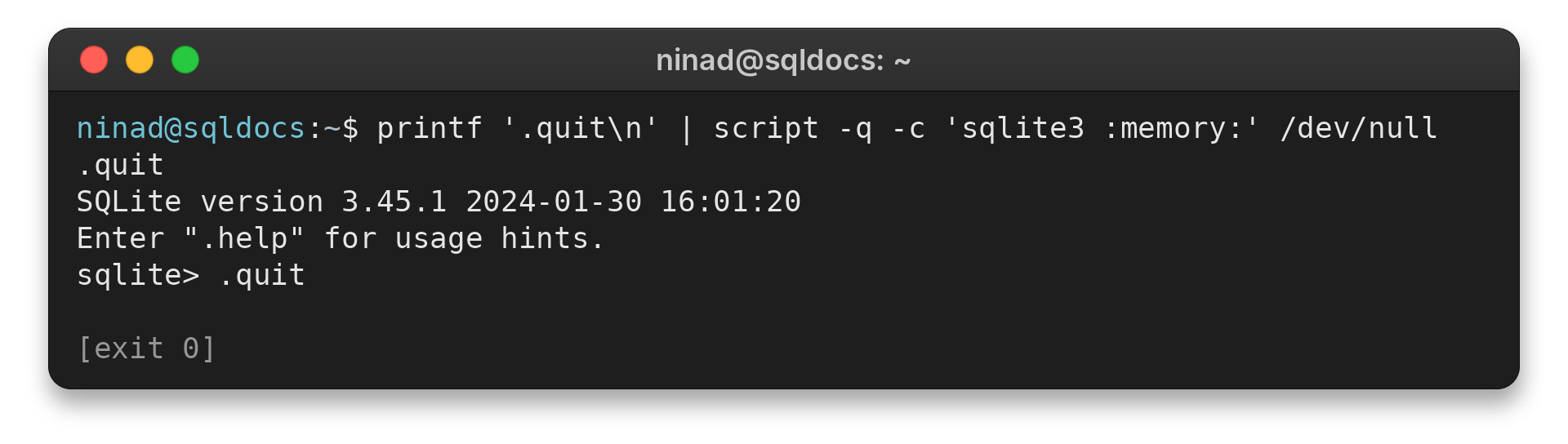
The shell exits and the operating-system prompt returns. The $ is a common Unix shell prompt. Your prompt may look different.
Step 2: Use .exit if you prefer
.exit also ends the sqlite3 program. The SQLite CLI documents an optional return code for this command, but you can leave it off for an ordinary exit.
sqlite> .exit
$
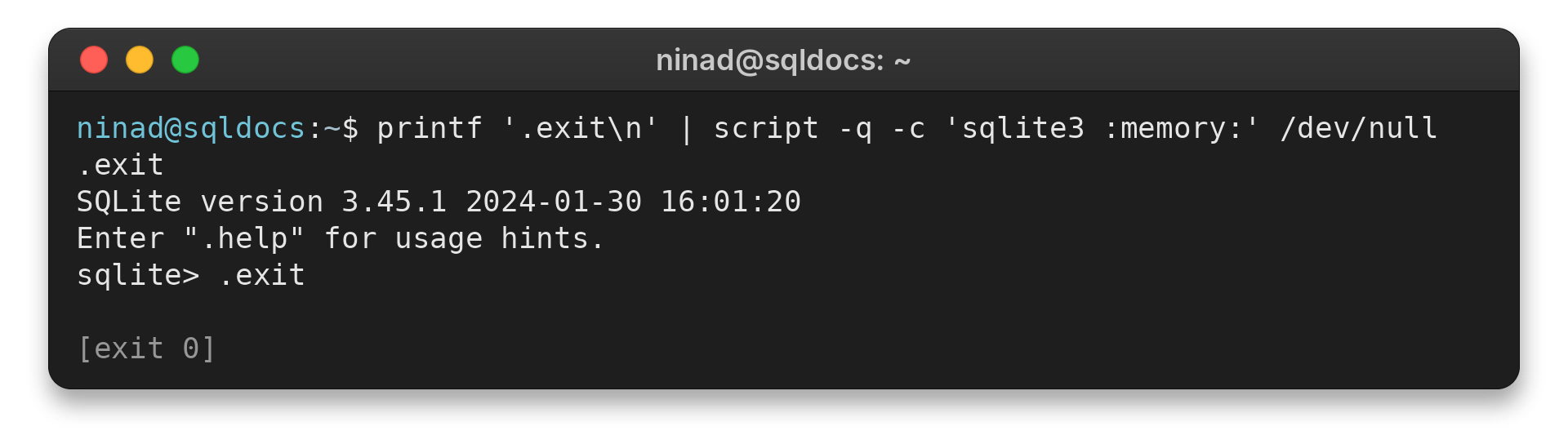
Choose either command. No database-closing SQL statement is required to return to the terminal. The SQLite tools overview covers other ways to work with database files.
Edge cases: What to do when sqlite3 shows …>
The continuation prompt means sqlite3 is waiting for an unfinished statement. It is collecting a multi-line SQL statement. A dot-command typed there becomes part of that unfinished input.
First return to a complete statement or end the input.
Finish the statement when you want to run it
SQLite waits for a semicolon after SQL before it executes the statement. For example, enter the remaining expression and terminate it:
An unfinished expression often has a visible cause. An open parenthesis or quoted string keeps the statement incomplete even if you type a semicolon. Close the expression in the matching order before adding the statement terminator.
If the resulting SQL is invalid, SQLite may print a syntax error and return to the normal prompt, where .quit works.
If you do not want to complete the statement, the documented end-of-file shortcut can end the interactive input instead. The exact key depends on the terminal. This is different from Ctrl+C, which the SQLite CLI documents as an interrupt for a running SQL statement.
sqlite> SELECT 1
   ...> .quit
   ...>
Parse error: near ".": syntax error
  SELECT 1 .quit
           ^--- error here
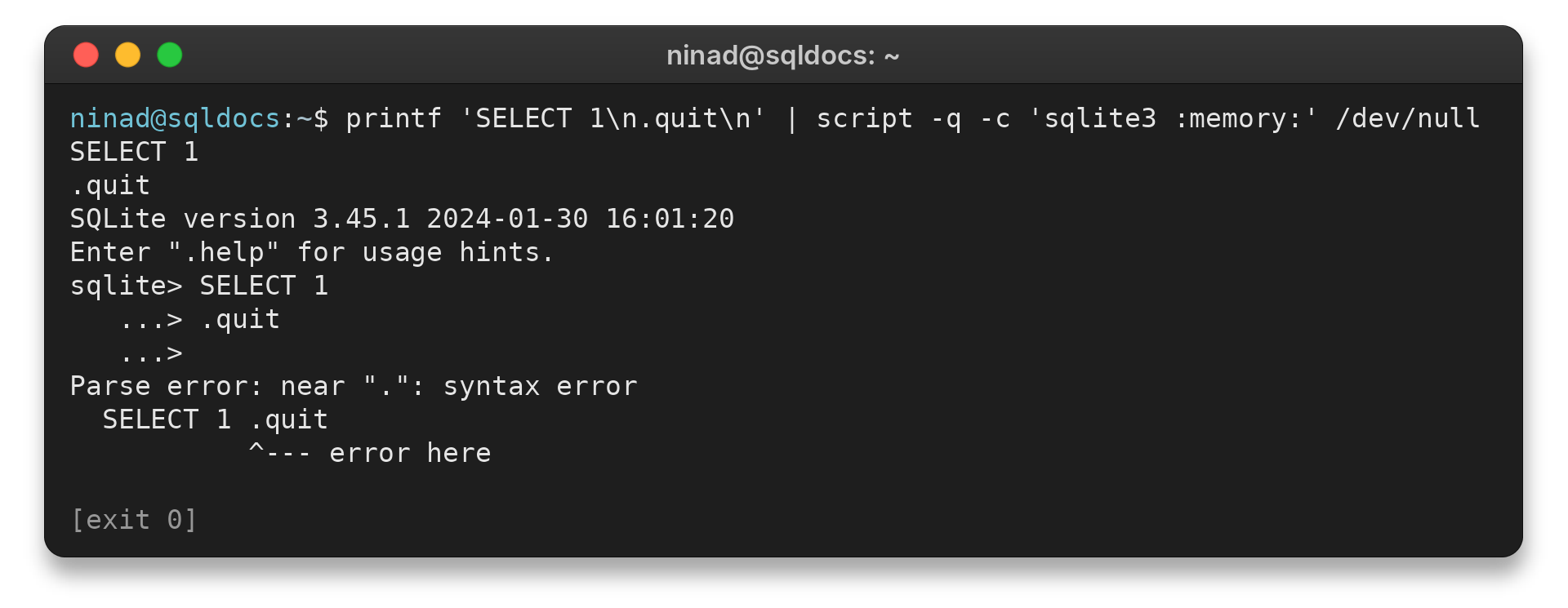
After the statement completes, the regular sqlite> prompt returns. Then enter .quit. If the statement contains an unclosed quote or parenthesis, close it correctly.
Add the semicolon after the expression is complete. Otherwise SQLite will continue waiting or report a syntax error.
Choose the right keyboard action
The keyboard action depends on whether you want to close input or interrupt a running query. The SQLite CLI uses EOF to terminate the program and Ctrl+C to interrupt a long-running statement.
| Key | Effect | Use it when |
|---|---|---|
| Ctrl+D | Sends end-of-file on many Unix-like terminals | You want to end the interactive session |
| Ctrl+Z, then Enter | Common end-of-file sequence in the Windows console | Your Windows terminal uses this mapping |
| Ctrl+C | Interrupts a running SQL statement | A query needs to stop, not for an ordinary exit |
Prefer .quit when the regular prompt is available because its meaning is explicit. The terminal may handle these keys differently, so use the documented mapping for your platform.
Conclusion: Return to your terminal
At sqlite>, enter .quit or .exit. If you see the continuation prompt, SQLite is waiting for incomplete SQL, so finish the statement or send EOF before trying to leave.
FAQ
These quick answers cover common ways to leave the sqlite3 command-line shell.
How do I exit sqlite3?
Type .quit or .exit at the regular sqlite3 prompt and press Enter.
What does the continuation prompt mean in sqlite3?
The shell is waiting for an incomplete multi-line SQL statement. Complete the statement, including open quotes or parentheses, and terminate it with a semicolon.
Does Ctrl+C exit sqlite3?
Ctrl+C interrupts a running statement. It is not the normal exit command; use .quit or .exit at the regular prompt.