
When a SQLite query runs slowly, a measured fix starts with finding what work it does. SQLite performance tuning uses elapsed time and a query plan, which describes how SQLite will run a query, to guide changes.
In this piece, I’ll show you how to read a query plan and choose an index that matches the query.
TL;DR: SQLite Performance
SQLite performance improves when each query reads fewer rows and each write does less commit work. Measure the slow operation before changing settings.
- Inspect a slow query with EXPLAIN QUERY PLAN.
- Add an index that matches its filters and ordering.
- Group related writes in one transaction.
- Use WAL for overlapping readers and a writer when its filesystem constraints fit.
What Is SQLite Performance?
SQLite performance depends on the query plan, available indexes, transaction boundaries and storage behavior. Its query planner chooses an execution strategy from the SQL and schema. An index is an ordered lookup structure that can help SQLite find rows without checking the whole table.
A table scan checks rows until it finds matches. An index stores selected column values in order and can reduce the rows SQLite must examine, at the cost of extra storage and work when rows change. Focus on the slow query and its observed plan when deciding what to change.
For schema and query syntax, see the SQLite SQL language reference. If the issue is concurrent access, the separate guide to SQLite WAL mode explains the journal mode in more depth.
A useful baseline records the exact SQL, representative parameter values, row count and elapsed time under the same data and machine conditions. Repeat the measurement enough to notice variability, but do not treat one result from a small in-memory table as a production forecast. A query plan explains chosen operations, while a timing test shows how they behave with your storage and data.
Separate read and write costs before tuning. A query returning many rows can spend time transferring and decoding results even when its index lookup is efficient. A write-heavy path can spend time waiting for a transaction to commit, while returning only needed columns and rows can reduce read work.
Keep the comparison fair by using the same SQL, parameter values and database contents before and after a change. If the workload changes, the comparison no longer isolates the index or setting you just altered. The query planner may also choose a different strategy when table size or value distribution changes.
An index has two sides: it can reduce reads for matching queries, and it adds work whenever indexed values change. A small lookup table may be faster to scan than to maintain another index. Use query plans and timings to decide which WHERE columns belong in indexes.
A query plan gives a developer evidence for choosing a next change. Without checking it, a developer may have several possible causes to test, such as a scan, a sort or repeated commits.
SQLite stores a database in a file and runs in the application process. That arrangement avoids a separate database server, but the program still needs to account for file I/O, SQL work and coordination between connections. A useful speedup comes from reducing the work the application actually performs.
How to Tune SQLite Performance Step by Step
Tune SQLite by checking a query plan, matching an index, batching writes, refreshing planner statistics and then considering WAL. This order ties each change to a specific kind of work instead of applying unrelated settings together.
Step 1: Inspect the query plan
Run EXPLAIN QUERY PLAN before adding an index. It reports whether SQLite scans a table or searches an index, and it can show when a temporary B-tree is used for sorting.
import sqlite3

connection = sqlite3.connect(":memory:")
connection.executescript("""
CREATE TABLE events (
    id INTEGER PRIMARY KEY,
    account_id INTEGER NOT NULL,
    created_at TEXT NOT NULL,
    kind TEXT NOT NULL
);
""")
connection.executemany(
    "INSERT INTO events(account_id, created_at, kind) VALUES (?, ?, ?)",
    [(n % 100, f"2026-10-{(n % 28) + 1:02d}", "login" if n % 2 else "save") for n in range(5000)],
)
query = "SELECT id, created_at FROM events WHERE account_id = ? ORDER BY created_at DESC LIMIT 5"
print("Before index:")
for row in connection.execute("EXPLAIN QUERY PLAN " + query, (42,)):
    print(row[3])
connection.execute("CREATE INDEX events_account_created ON events(account_id, created_at DESC)")
print("After index:")
for row in connection.execute("EXPLAIN QUERY PLAN " + query, (42,)):
    print(row[3])
The script output is:
Before index:
SCAN events
USE TEMP B-TREE FOR ORDER BY
After index:
SEARCH events USING COVERING INDEX events_account_created (account_id=?)
The terminal capture shows the same output from the script, including the scan and temporary sort before the index and the covering-index search after it.
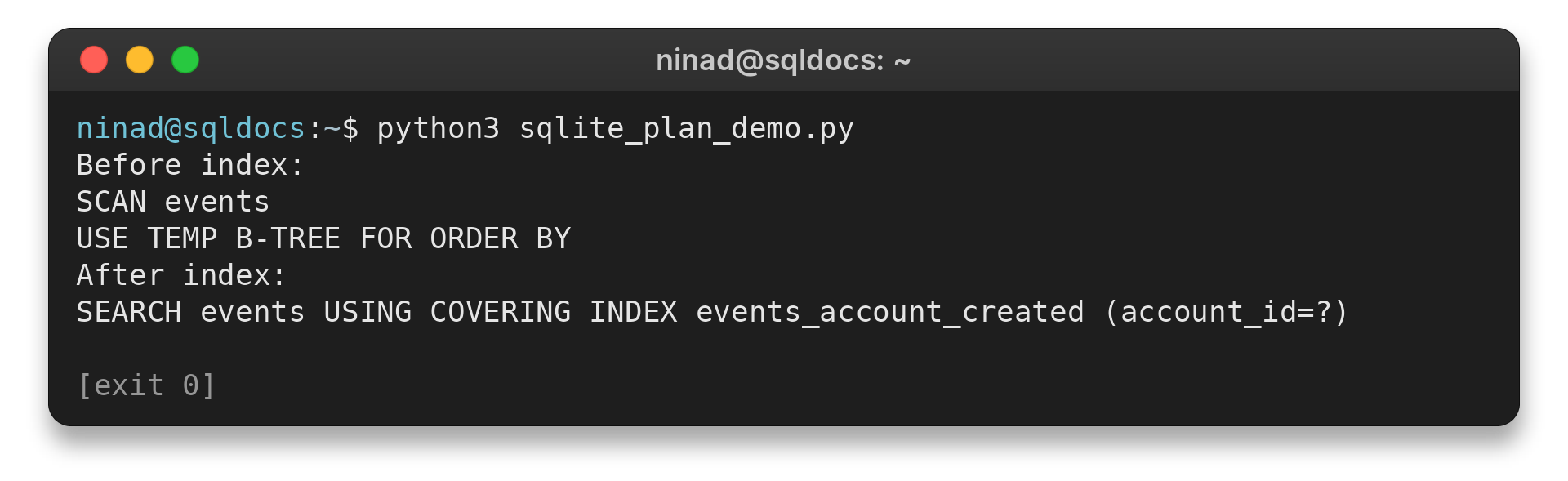
The in-memory example shows plan selection rather than benchmark data or a speed claim. Your data distribution and query parameters can lead SQLite to choose another plan.
Check the plan after CREATE INDEX and read its detail alongside the original SQL. A SEARCH operation means SQLite uses an index or rowid lookup for a constraint. A SCAN means it visits rows in a table or index, which may be fine for a small table or when the query needs a large share of rows.
The phrase USE TEMP B-TREE FOR ORDER BY indicates extra sorting work. It does not by itself prove the query is slow, since the result size and cache state matter. Compare plans and elapsed times using representative parameters before deciding the index solved the bottleneck.
Step 2: Match index columns to the query
Put equality filters first in a composite index. Place the range or ordering columns after those equality columns. SQLite can use a contiguous leftmost prefix, so skipped columns and range constraints can limit the use of later columns.
CREATE INDEX events_account_created
ON events(account_id, created_at DESC);
This index matches a filter on account_id followed by descending created_at ordering. Indexes take space and add work to inserts, updates and deletes, so add only those supported by measured queries. Re-run the plan after each change and remove indexes that serve no current workload.
Look at the rows returned as well as the plan. Selecting every column can force SQLite to read table pages after finding matching index entries. If the application only needs an identifier and timestamp, requesting only those values may let an index cover the query, as the sample plan does.
Keep an index inventory with the query it supports. When a schema evolves, compare its indexes against the current filters, sort orders and write volume. An unused index still consumes space and adds maintenance work, while a useful composite index can support several related lookups when their leading columns match.
Step 3: Batch related writes in a transaction
A single transaction groups related inserts so SQLite can commit them together and avoid paying commit overhead for each row.
with connection:
    connection.executemany(
        "INSERT INTO events(account_id, created_at, kind) VALUES (?, ?, ?)",
        rows,
    )
Python’s connection context manager commits successful work and rolls it back on exceptions, so keep the batch bounded and avoid unrelated waits while the transaction remains open.
Step 4: Let SQLite refresh planner statistics
After schema changes, run PRAGMA optimize so SQLite can decide whether updated statistics would help query planning. The SQLite documentation recommends it after creating indexes, and the command is generally a no-op when there is no useful analysis to run.
PRAGMA optimize;
Applications with long-lived connections can also run it periodically. Statistics inform planner choices, but they do not guarantee every query becomes faster, so check the plan and measure the workload after running it.
Step 5: Consider WAL for reader and writer overlap
Write-ahead logging lets readers continue using a consistent snapshot while a writer appends changes to the WAL file. Enable it only when that concurrency behavior helps your application.
PRAGMA journal_mode = WAL;
WAL relies on shared memory, so all readers must run on the same machine. A database accessed over a network filesystem falls outside WAL’s supported setup. Checkpointing later copies committed pages from the WAL into the main database, and long-running readers can delay that work.
WAL’s synchronization setting also affects durability after power loss or a hard reboot. Do not relax it just to improve a benchmark unless the application owner has accepted the data-loss risk. Read the WAL guide before changing checkpoint or synchronous behavior.
SQLite Performance Problems to Check Next
When a tuning change does not help, check whether the bottleneck matches the change. Query latency, write contention and a growing WAL file have different causes and need different fixes.
| Symptom | Check | Next action |
|---|---|---|
| Query scans many rows | EXPLAIN QUERY PLAN | Match an index to filters and order |
| Bulk inserts take too long | Commit frequency | Group writes in a bounded transaction |
| WAL file keeps growing | Long-lived readers and checkpoints | Finish read transactions and inspect checkpoint behavior |
| Writers wait on each other | Concurrent write workload | Shorten write transactions. WAL still has one writer. |
For a new database file with a changed schema or data distribution, collect a fresh plan rather than relying on an old benchmark. SQLite performance depends on the workload and storage environment. A single elapsed time from a toy dataset cannot predict production behavior.
Conclusion: Tune the Measured Bottleneck
Start with the query plan, then make one targeted change and check the result. Indexes address lookup and sorting work, transactions reduce repeated commit overhead, and WAL changes reader-writer interaction with durability and filesystem trade-offs.
For syntax details, keep the SQL language reference nearby. For concurrency behavior, use the deeper SQLite WAL guide.
FAQ
These answers cover the common first checks when SQLite feels slow.
How can I improve SQLite performance?
Inspect the slow query with EXPLAIN QUERY PLAN, add an index that fits its filters and ordering, batch related writes in a transaction, and use PRAGMA optimize after schema changes.
Does WAL make SQLite support multiple writers?
No. WAL lets readers overlap with a writer, but SQLite still allows only one writer at a time.
When should I run PRAGMA optimize?
Run PRAGMA optimize after schema changes such as CREATE INDEX. Long-lived connections can also run it periodically.