
Choosing a Swift library for an app’s SQLite database means deciding how much query and migration work the library should handle. SQLite.swift provides typed query construction, while GRDB also includes named migrations and observation of query results after database changes.
I’ll explain what SQLite.swift provides, then compare the libraries’ migration and observation features by checking how a schema change affects an existing row.
TL;DR: Choose the SQLite library by the work it handles
Choose SQLite.swift when you want a compact, type-safe query builder and are comfortable owning database coordination. Choose GRDB when you also want record protocols, a migration system, database observation and managed access queues or pools.
- Both libraries work with SQLite databases and let you use SQL.
- SQLite.swift focuses on Swift-style query construction and database access.
- GRDB adds broader application features, including records, migrations and observation.
- The database engine still defines schema rules, constraints and transactions.
What is SQLite.swift?
SQLite.swift is a Swift library that wraps SQLite with typed expressions and a chainable query interface. SQLite remains the database engine, while the package gives Swift code objects such as Connection, Table and Expression for working with a database.
GRDB is a Swift toolkit for application databases built on SQLite. It supports raw SQL alongside typed records, database migrations, observation and concurrency tools. Both packages fit an app that needs direct access to SQLite, but GRDB includes more of the application data layer.
I ran SQLite shell checks for schema changes and constraints so those engine rules stay separate from the libraries’ migration and query APIs.
The choice is less about whether you can write SQL and more about how much database work you want the library to organize. A developer asking “which library to use” should compare migration ownership, observation and concurrent access, not only query syntax.
How SQLite.swift and GRDB handle an app database
SQLite.swift supplies a typed query-building interface. GRDB adds facilities for records, migrations and database observation. I checked the shared engine behavior with the SQLite shell before comparing those library features.
Step 1: Check what a schema change does to existing rows
A migration changes the schema while preserving existing records. I created a table, inserted a row and added a required column with a default using SQLite 3.45.1:
sqlite3 :memory: 'CREATE TABLE item(id INTEGER PRIMARY KEY, name TEXT NOT NULL); INSERT INTO item(name) VALUES ("draft"); ALTER TABLE item ADD COLUMN done INTEGER NOT NULL DEFAULT 0; PRAGMA table_info(item); SELECT id,name,done FROM item;'
0|id|INTEGER|0||1
1|name|TEXT|1||0
2|done|INTEGER|1|0|0
1|draft|0
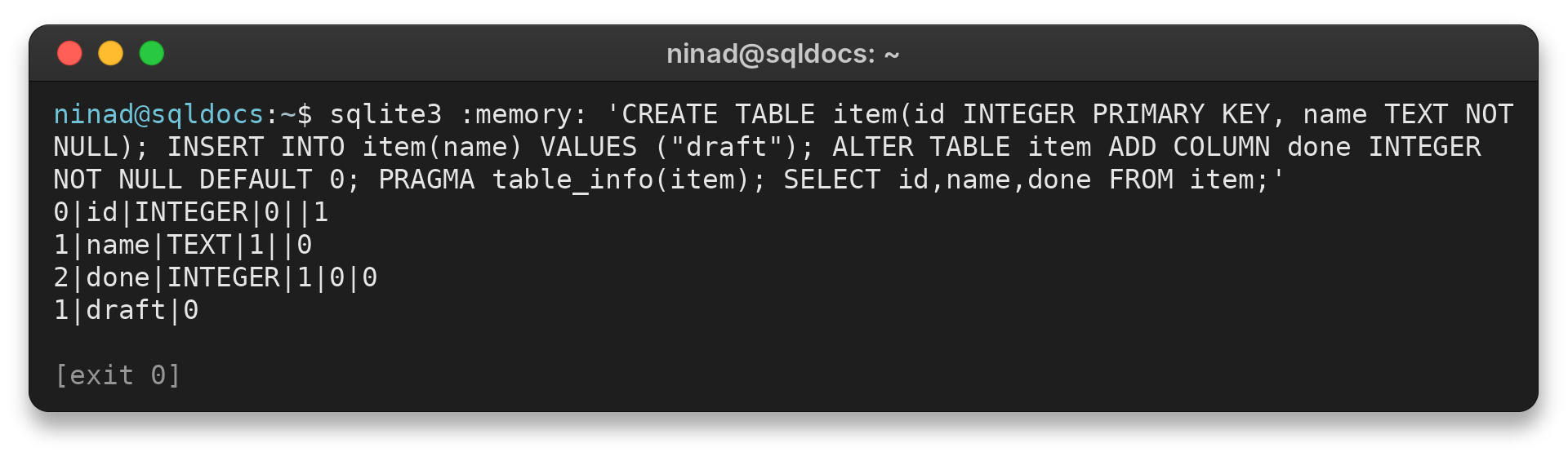
The new column appears with a default of 0, and the existing row remains. This is SQLite behavior. A library migration API can sequence the schema change, but you still need to choose a valid change for the data already stored.
Step 2: Choose SQLite.swift for a small query layer
SQLite.swift’s typed expressions map Swift column types to SQLite values, and its query structures can build filters, ordering, joins and updates. That catches some mismatched types at compile time, while the package also supports prepared raw SQL with bound parameters. You can keep a complex query in SQL and still use the library to handle connections and values.
The package documents schema versioning through the connection’s userVersion property, which reads and writes SQLite’s PRAGMA user_version. For a small app, your code can check that integer and apply each required change in order.
The docs point to SQLiteMigrationManager.swift for more complex migration requirements. That distinction matters because SQLite.swift’s documented example leaves migration sequencing in app code unless you add another manager.
With userVersion, treat each integer as a boundary between database layouts. Test every step from a copy of the prior version’s file, and change the version marker only when the matching schema change succeeds.
SQLite supports a limited set of direct ALTER TABLE operations. Adding a column with a suitable default is one case. More complex changes can require creating a replacement table, copying rows and rebuilding indexes or triggers, so the migration plan should account for the whole schema rather than only the new field.
That manual control can be useful when the schema is small and each change needs a custom data conversion. It also means the team must keep migration order, failure handling and tests consistent across app versions.
Before shipping a SQLite.swift migration, check these three things:
- Each schema step starts from a version of the database your app has actually released.
- A required field gets a default or a backfill that preserves existing rows.
- The version marker moves forward only after its schema change completes.
Each SQLite.swift Connection uses a serial queue for statement execution. The package documentation notes that transactions and savepoints block other statements using that connection until the transaction ends.
When an app opens multiple connections to one file, simultaneous writes still meet SQLite’s locking rules. The documented default busy timeout is zero, so the app may need a timeout or busy handler if connections overlap.
Swift Package Manager is the current installation path in the project README. Use the current package instructions and resolve a tested dependency version in your app rather than copying a version number from an older tutorial. The package supports traits that select system SQLite or a bundled SQLite build, so check which engine your target will actually use when a feature or SQLite version matters.
Step 3: Choose GRDB when the app needs database facilities
GRDB’s DatabaseMigrator lets an app register migrations by identifier and run the pending changes against its database. The identifiers form a record of completed schema work, so a launch can migrate a database from its current state without repeating earlier changes.
Keep migration identifiers stable after release, since they represent the steps that have already been applied to user databases. Test upgrades from the schema versions your app has shipped, not only from a newly created file.
GRDB records are ordinary Swift types that can adopt protocols such as FetchableRecord, TableRecord and PersistableRecord. Those protocols let a model fetch from SQL or use generated requests for table operations.
A record can also perform database writes through its persistence protocol. You can use only the protocols that help, and raw SQL remains available when a query reads more clearly as SQL than as a builder expression.
Before choosing those facilities, map the work your app actually needs:
- Which released schema versions must upgrade to the current version?
- Which screens need to react when their query results change?
- Which reads and writes can overlap during launch or background sync?
For access, DatabaseQueue serializes database work through one connection. DatabasePool adds concurrent readers while SQLite still serializes writes. This can help an app keep reads responsive while a background task writes, but the application still decides what to do when two operations conflict over the same logical record.
ValueObservation tracks a request and reports refreshed values after database changes are committed. GRDB documents observation of writes made through its own records and raw SQL, as well as changes that happen through triggers or foreign-key actions.
Because the observation follows committed database state, a view can refresh from the query it depends on instead of relying on each screen to remember a separate manual refresh. GRDB also documents ordered notifications across database transactions, which helps keep a displayed result in step with writes.
Observation does not synchronize separate processes or decide how conflicting edits should be resolved. Keep those concerns separate from refreshing a query result.
The choice becomes clearer when each requirement is tied to the layer that supplies it:
| Need | SQLite.swift | GRDB |
|---|---|---|
| Typed query construction | Core feature through typed expressions | Query interface and record types |
| Raw SQL | Prepared SQL and bound values | SQL requests and bound arguments |
| Migration tracking | PRAGMA user_version or an added migration manager | DatabaseMigrator with named migrations |
| Query observation | Application-managed refresh | ValueObservation |
| Managed access | Connection queue, multiple connections need care | DatabaseQueue or DatabasePool |
The table compares library features, not the quality of the resulting app. SQLite.swift can be the better fit when the project needs a narrow wrapper and the team wants to decide how migrations and refreshes work. GRDB is a better fit when those concerns would otherwise become repeated code across screens and database access paths.
Step 4: Keep the library and SQLite rules separate
Both packages rely on SQLite’s schema and constraints. I tried inserting a null value into a NOT NULL column, and SQLite returned its exact constraint error:
sqlite3 :memory: 'CREATE TABLE item(id INTEGER PRIMARY KEY, name TEXT NOT NULL); INSERT INTO item(name) VALUES (NULL);'
Error: stepping, NOT NULL constraint failed: item.name (19)
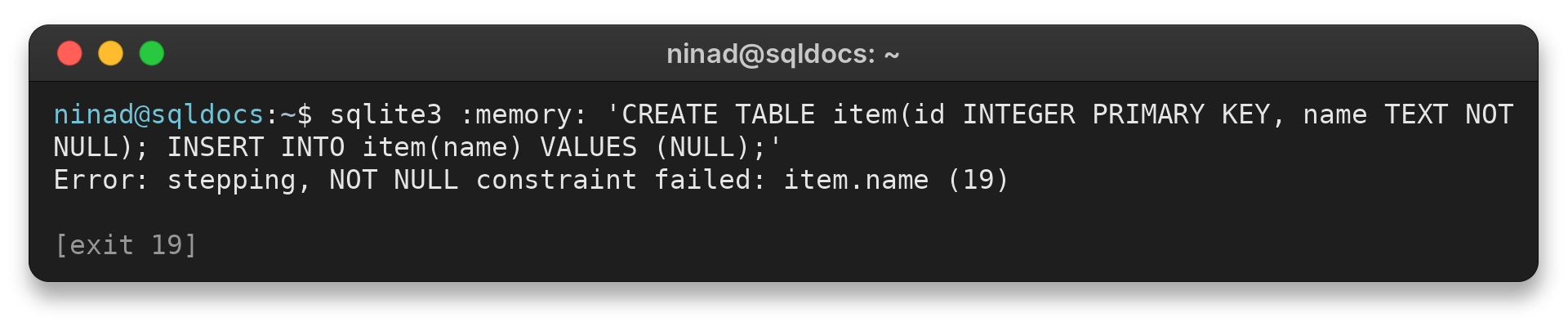
The constraint is enforced by SQLite, regardless of whether a Swift wrapper sent the insert. Use bound arguments for values and handle database errors at the application boundary.
Edge cases when choosing a Swift SQLite library
A required column needs a migration plan for existing data. I tested adding a NOT NULL column without a default to a table that already contains a row:
sqlite3 :memory: 'CREATE TABLE item(id INTEGER PRIMARY KEY, name TEXT NOT NULL); INSERT INTO item(name) VALUES ("draft"); ALTER TABLE item ADD COLUMN priority INTEGER NOT NULL;'
Error: stepping, Cannot add a NOT NULL column with default value NULL
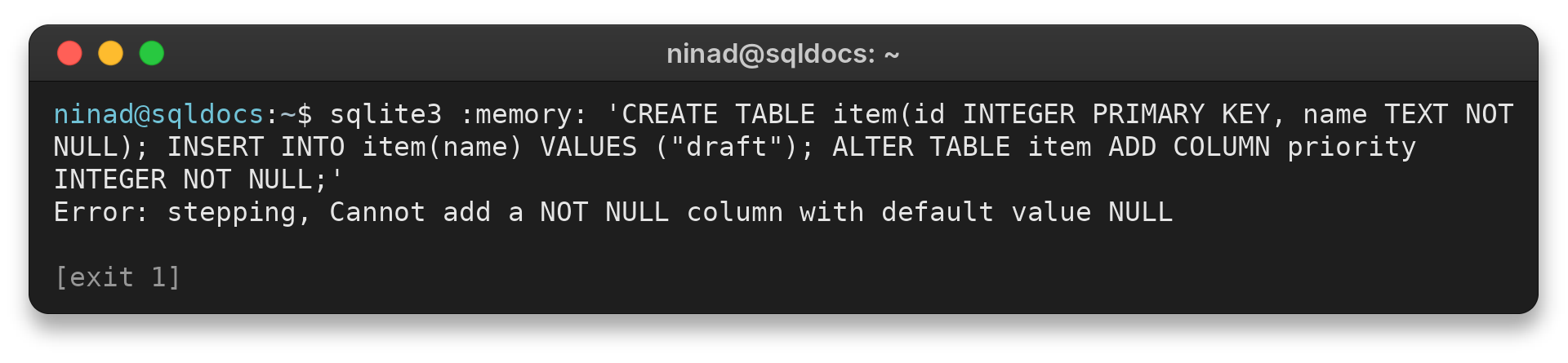
The existing row has no value for the new column, so SQLite rejects the change. Choose a migration path that fits the data already stored:
- Set a non-null default when that value is correct for every existing row.
- Add the field in stages, backfill each row, then enforce the required value.
- For more complex changes, rebuild the table and copy its rows using SQLite’s documented procedure.
Read SQLite’s column-change limits before choosing a migration that alters an existing schema.
Another boundary is concurrent access. SQLite.swift’s README documents database connections and WAL configuration, while GRDB provides queues and pools to manage access.
Neither choice resolves application-level conflicts such as two independent edits to the same record. Define that behavior in your app and test writes that can overlap.
Observation also has a scope. GRDB can notify an app about database changes through its observation tools, but it does not make UI state or cross-process synchronization automatic. Decide which query the view observes and how the app handles errors or cancellation.
If the task is a first connection to SQLite from Swift, start with the SQLite on iOS tutorial. It introduces the built-in SQLite3 API and SQLite.swift. This page narrows in on migration and observation choices.
Conclusion: Match the library to your database work
SQLite.swift is a reasonable fit when typed query construction is the main thing you want and you are prepared to own the surrounding persistence work. Choose GRDB when its records, migrations, access queues or pools and query observation solve problems your app already has.
Both leave schema design and application-level conflict decisions in your hands. Before storing app data, test migrations against a database file created by the previous app version and check the resulting schema and rows.
For SQLite.swift’s versioning approach, read the SQLite.swift documentation. For named migrations and observation, see the GRDB migrations guide and database observation guide. SQLite’s ALTER TABLE reference explains the engine limits.
FAQ
SQLite.swift centers on typed queries and connections, while GRDB also supplies named migrations and request observation.
Can I use raw SQL with SQLite.swift?
Yes. SQLite.swift documents both a typed query builder and a lightweight SQL interface.
Does SQLite.swift support migrations?
Its README lists schema query and migration support. Plan how your app tracks and applies each schema change to existing databases.
When should I choose GRDB over SQLite.swift?
Choose GRDB when its record types, migration facilities, managed database access and query observation match the work your app needs.
Does GRDB replace SQLite?
No. GRDB is a Swift toolkit built on SQLite. SQLite remains the database engine and defines SQL behavior such as constraints and schema changes.